 Buford
Changelog
Listen, it's not a blog.
-
Scam Warnings in Messages
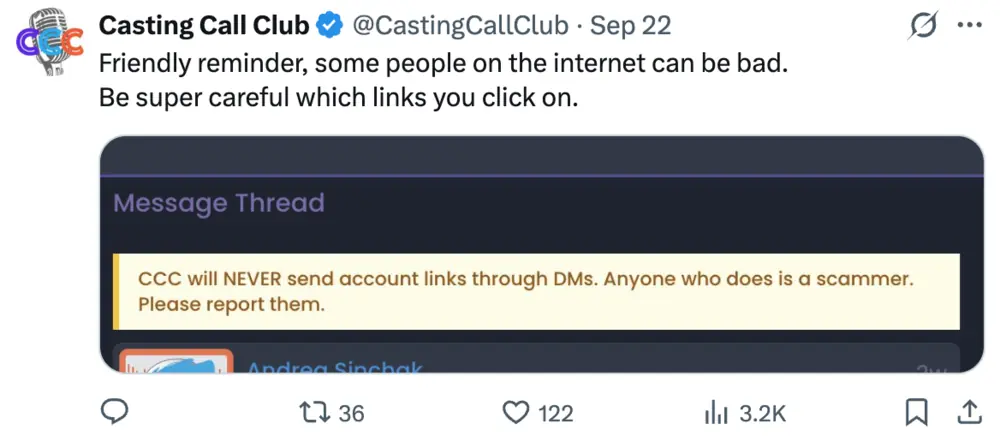
If someone wants to move this to Telegram/Discord, slow down
You know the one. Someone loves your voice, they've got a huge project, the pay is great, and could you please continue this on Telegram/Discord? Then it's a "what's your bank account" even before they hear your voice and then it's gift cards and then they're gone. It happens here more than I'd like and it almost always starts the same way: get you off the site, fast.
So now, any time Discord or Telegram turns up in a message thread or a submission note, you get a heads up right there in the conversation. I'm not saying people who use Discord are scammers.. Loads of legit people run their projects on Discord and always have. It's just a nudge to keep your guard up at the exact moment scammers rely on you not having one.
Rule of thumb that has never once failed anybody: real casting does not require you to send money first.
-
Phone app version 1.0.14 is live
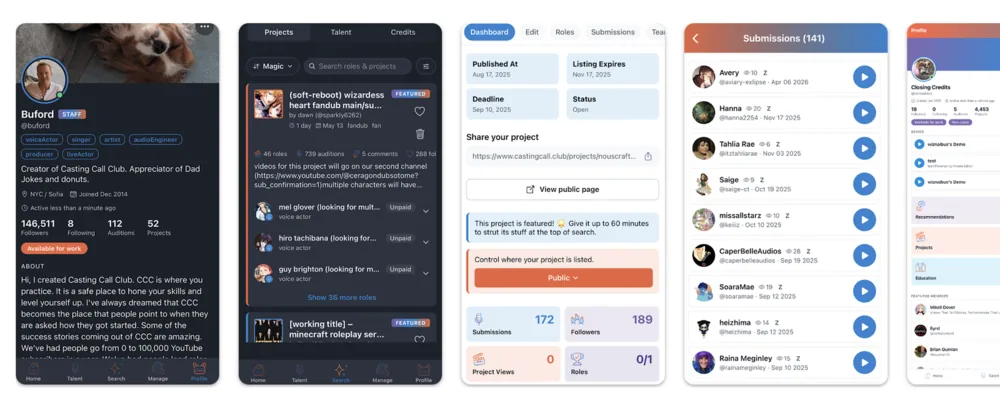
Version 1.0.14 is rolling out on iPhone and Android. Some of this you asked for, some of it was me fixing my own mess.
🖼️ Project cover images: Owners can set a cover right from the phone.
👉 Swipe to mark read: Swipe a notification and it's read. Satisfying. Like bubble wrap popping.
🎬 Video auditions: Send a video from your phone and I'll just use the audio. Real video auditions might come soon though.
📜 Long role lists scroll: On a busy project, "All roles" pushed the older roles off the top of the screen where you couldn't reach them. Fixed
🔴 The alert dot stops crying wolf: This was such an annoying bug. Now it's fixed.
🕰️ Deadlines stay put: Some people change timezones, and then all the deadlines would be messed up. Now it's fixed.
🔔 Alerts that make sense: Replies, shortlists, and digests of the stuff actually tell you what is going on.
Plus Google sign-in and the scam warnings from last month, a couple of crash fixes, and a lot of small catch-up with the website.
Grab it from the App Store or Google Play.
-
Label Cleanup
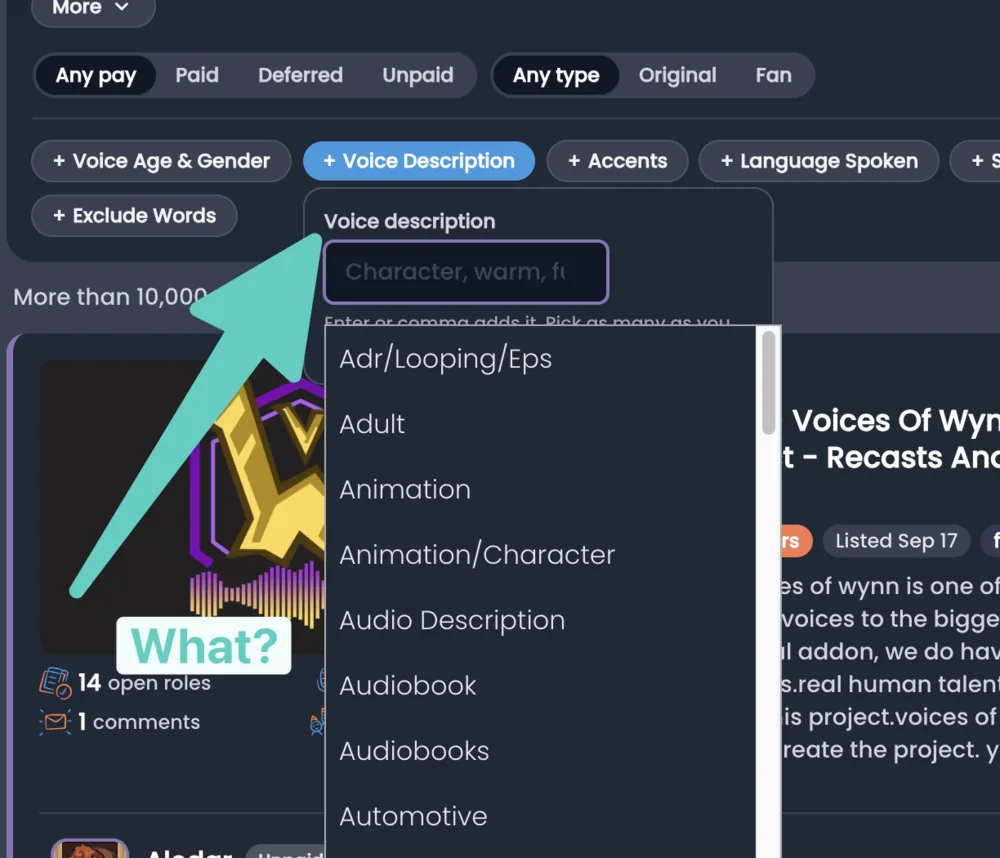
So the filters were pretty ugly after about a year of people typing in random stuff and the data getting really messy. So today I went in and cleaned up a bunch of things.
Keep in mind that labels are type-in fields. That means they all come from you. I periodically go through these labels and merge them, delete some, and approve some for being in the search, etc. This happens about once per year, and here are the updates I've done this time.
- The voice description field actually will be voice descriptions now. That's always a plus.
- Accents will be grouped by major accent and then by minor accent. So you'll have things like American (New York) and American (Midwest) and British (Cockney) now
- Languages will be sorted first by the most popular language in the platform, which is English, followed by Spanish, and then all the rest.
- I deleted about 150 slurs or bad words inside of these labels. Please stop being naughty.
- Other minor cleanup of other labels.
These labels are now live on the search and on your profiles. Please let me know if you find anything that's not right. And thanks.
-
Autosave while editing
Capture form and survey editors save as you work.
Neat, huh?
-
Widget Embeds are HELLA fast
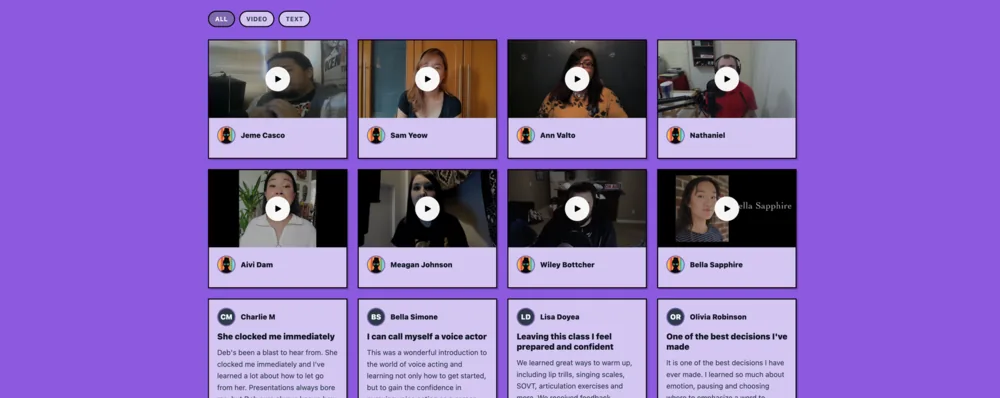
To render one widget on your site, an embed downloaded all 27 widgets, the wall renderer, all twelve wall themes, and every line of CSS the studio and the marketing pages and the capture forms need, including the editor styles for an editor the page doesn’t have. Then it rendered one widget.
It now ships its own kind, its own stylesheet, and nothing else. It loads in less than 50ms 95% of the time.
That’s fast. HELLA fast
-
Another Brick in the Wall
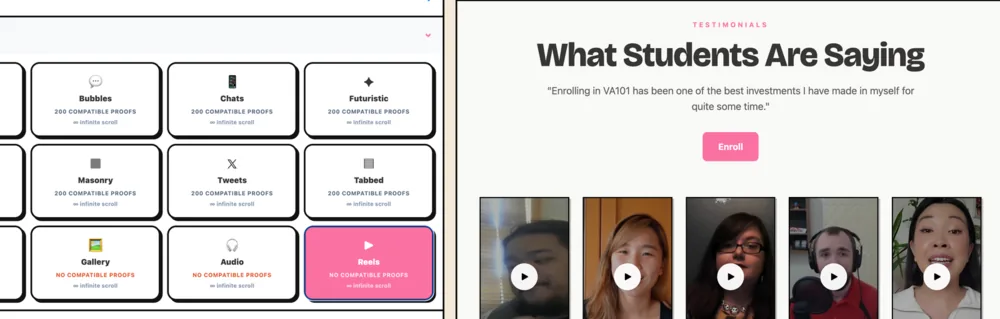
The wall editor now shows a live preview beside the settings, so you see the real wall as you change it. Same as the capture form, survey and widget editors. New walls also open much faster.
Widgets got five more color controls: text, card background, highlight and highlight text, on top of the background and primary you already had. All of them are optional. There is also a new toggle for showing dates on proofs.
Widget fixes: a ton of shit too lnog to list
-
Surveys
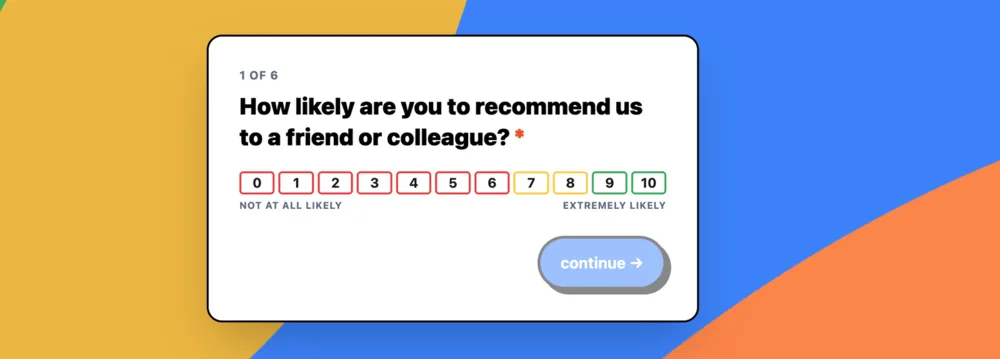
Ask questions, like google forms
Surveys are a new item in the sidebar, under Capture Forms. Build a list of questions, share the link, and respondents answer one screen at a time. At the end you can send them into the video, audio or text testimonial flow, and the proof arrives in your inbox attached to their answers.
Seven question kinds: short text, long text, single choice, multi choice, NPS, a 1 to 10 numeric row, and image upload.
Questions can branch on the answer, and can stay hidden unless an earlier answer matches. NPS has a one-click button that sets up detractor, passive and promoter branches.
Answers auto-save as respondents go. If you have their email address, they get a link back to finish later.
Four starter templates: NPS, CSAT, cancellation and onboarding.
Surveys also have email invites, the bulk invite API, duplication, background styles and colors, a custom thanks redirect, and anonymous mode.
Each survey has an analytics page with a chart per question, a CSV export of completed responses, and an email to you when someone finishes.
WHEW!
-
Course chat is here. Bye Discord
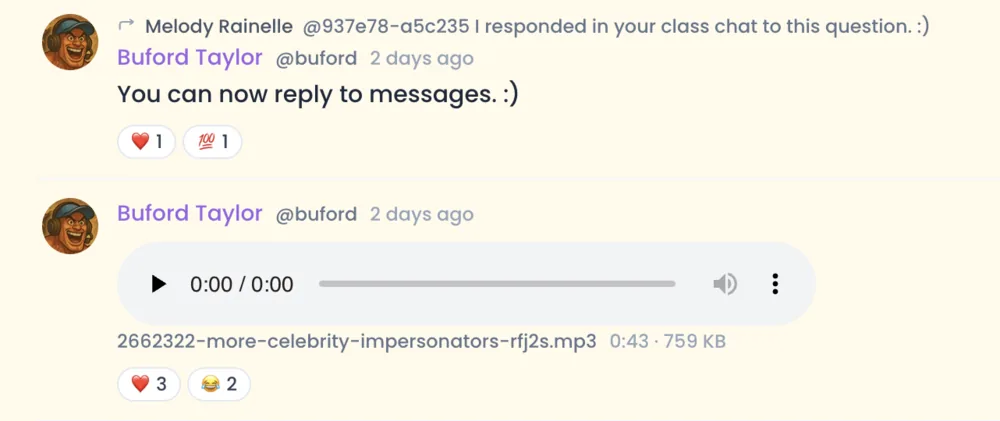
Every course now has its own room.
Class ends, the Zoom window closes, and the question you actually wanted to ask arrives about four minutes later.
💬 One room per cohort. Hang out with people in your class. Yah!
🙋 Mentions. Type
@and pick a person, or use@staffwhen you need a teacher.📌 Pinning. Teachers can pin the message everyone keeps scrolling back for.
😀 Reactions. Like 12 of them so far.
✏️ Edit and delete. Fix your own typo, remove your own message.
🔕 Mute. Hate chat rooms? Me too!
🖼️ Images. Drag them in, paste them, or put 'em in a stew.
🎧 Audio and video. Want someone to check your latest audition or see your home setup? YEPPPP!
-
One changelog for everything
So if you wanted to know what I do in public, you'd have to open 3-5 websites, like an animal.
They're one list now at buford.bg/changelog.
Casting Call Club, Shosay, and Closing Credits get pulled straight out of their own JSON, so it's pretty much verbatim. I write the Buford entries by hand.
-
buford.bg started
Rebuilt my personal site from scratch. There was nothing wrong with the old one, but I was bored at the dog park. The three.js background is lifted straight off the Nouscraft book page. You should really be reading that website, not this one. Buy my books!
Anyway, this site replaces siliconvict.com, which was Rails and Tailwind and a lot more machinery than a personal site needs.
You probably didn't know this, but I have kept a personal diary for nearly 10 years now. The entire diary entry for this day was "started buford.bg, kinda fun."
-
NOTES and Select and Copy andotherstuff on the mobile app
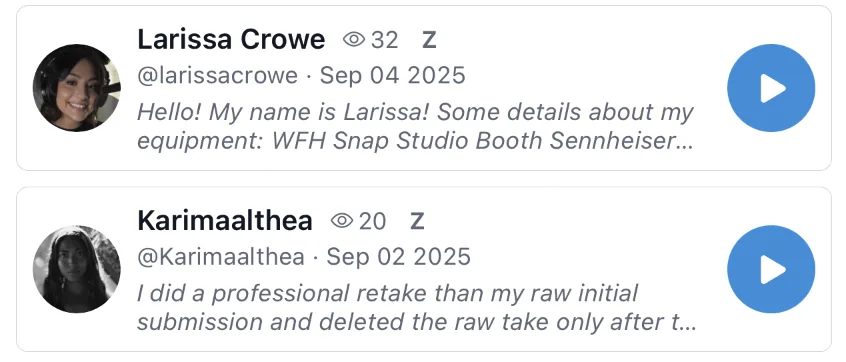
Stop retyping things off your own screen
Some things are so small nobody notices them until the moment they're needed, and then they're the only thing you can think about. Selecting text was one of those. You'd be halfway through a project description with a Discord invite sitting right there in it, and your only option was to squint and type it out by hand, one character at a time, getting it wrong twice. UGHHHHHHHHHHHHHHHHHGGHNNnnnnnn. Just..no
✍️ Select and copy: Press and hold a project description, a direct message, or anyone's About section, and take the words with you like magic. But it's actually just computers.
🔔 All your submission notes: THEY SHOW UP. Hahahahhahahaha. I can't believe I missed that the first time.
🔔 Alerts that speak English: Notifications used to announce their internal names like "new coins gift". What even is that? Well, that's fixed.
🔗 Shared links open the app: Sharing a profile or a submission used to fling whoever tapped it into a browser instead. Now it goes exactly where it should.
🎭 Credits know their own name: Some of your credits had quietly started calling themselves "Untitled work." This is a metaphor for life and how hard it is.
📅 Deadlines that actually save: Changing a project's deadline could fail without ever mentioning it. It doesn't anymore. Unless it does.
👻 Submissions that explain themselves: If a submission was deleted or made private, the app now says which one it was. Previously it just implied the thing had wandered off somewhere, like a cat.
Grab it from the App Store or Google Play.
-
The Casting Call Club App
Your whole casting life, now in your pocket
Casting doesn't wait for you to get back to your computer. So I built the real thing: a proper native app, not that crappy mobile web stuff. It's out now on iPhone and Android.
📱 Actually native: Built from scratch for phones. Fast, gesture-friendly, dark mode included.
🔔 Push notifications: Know the second someone auditions for your project, casts you in a role, or slides into your DMs.
🎧 Audition from anywhere: Browse roles, listen to submissions, and send your take from the bus, the booth, or the bathroom. Nice reverb in there.
🎬 Run your projects: Review, bucket, message, and cast. It's the whole director toolkit, thumb-sized.
🔎 Everything you: Saved searches, favorites, messages, profile.
-
Warden
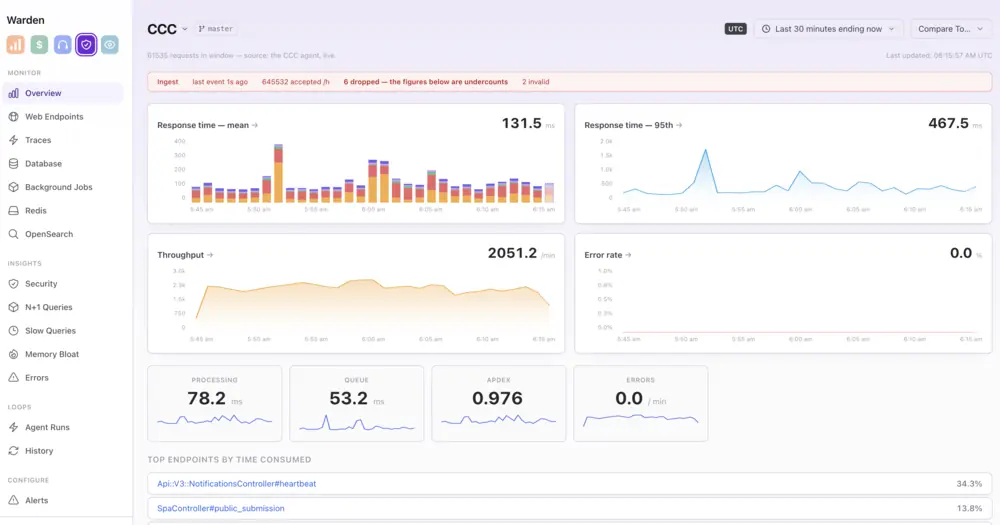
Scout and Bugsnag wanted $2k a month to tell me about Casting Call Club. I nope'd out of that and built my own. It's better this way because first off, I have unlimited requests on my own app, so no sampling. Two, any error that pops up on Warden gets processed and automatically turned into a pull request. I can't trust third party companies to do that.
But here's the prime example of why I wanted this:
CCC went down because of queuing. I could see in the charts that there was a slow query but I didn't want to grep the logs. I simply opened up Warden's MCP and asked why p95 was over 5 seconds and it literally told me the exact issue:
User ID x has 230k favorites, which aren't indexed properly. This was caused by dropping the column 2 days ago in commit SHA. User x has refreshed the page multiple times trying to get it to load. I've built a fix for you in PR 1779.
-
Mogul
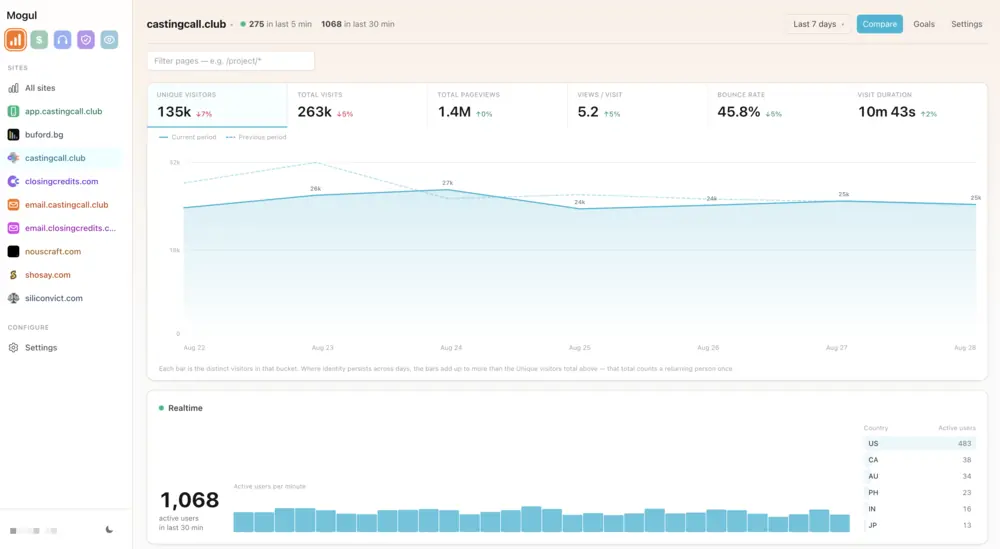
I built a clone of Google Analytics today because I hate Google Analytics. It's 33% more accurate than GA because of various technical reasons I'm not going to get into.
I could have just paid for something off the shelf, like Plausible. I built it instead, which is a personality defect.
It's also what's measuring this site right now. Hi.
-
AND OR search filters.
Cast a wider net — or a narrower one
Project search just learned the difference between "and" and "or." Pile up multiple skills, accents, languages, or any other filter, and a small And / Or toggle pops up next to it. Pick And to match projects that need every single one of those things. Pick Or to match projects that need at least one.
Can you do creature noises OR a legit Irish accent? Now it's only one search, not two! Flip it to "AND" and watch the results narrow for roles that need Irish accents AND creature noises (maybe they are an Irish Zombie?). Each filter category has its own toggle, so you can be strict about Skills and easygoing about Accents at the same time.
Your saved searches get the same upgrade, which means the weekly emails now match exactly what your filters show on screen. ANDOR! Now that's what I call pod-racing...er...where am I going with this?
-
Past Events - now actually findable!
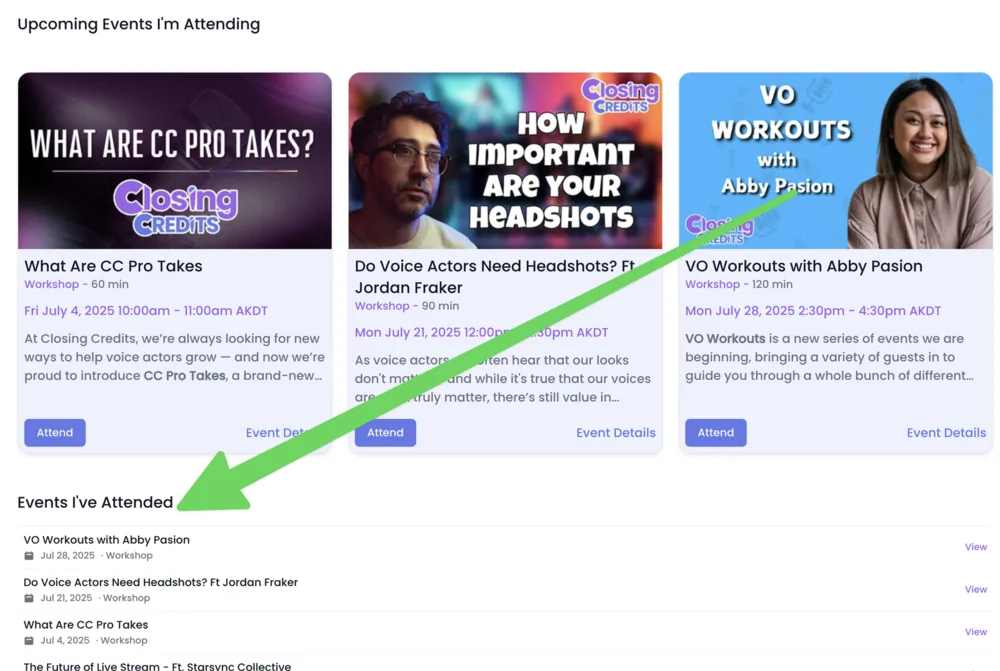
Lots of people have been asking about past events and where they can find the recordings for them.
I've always been like, "it's in the past events tab!"
And they were like, "Okay, but where is that?"
And I was like, "It's.....wow, it's hidden under 10 different clicks."
And then they were like :disapprove:Now it's right there in your /myevents page! Yayyyy!
-
One input box to rule them all
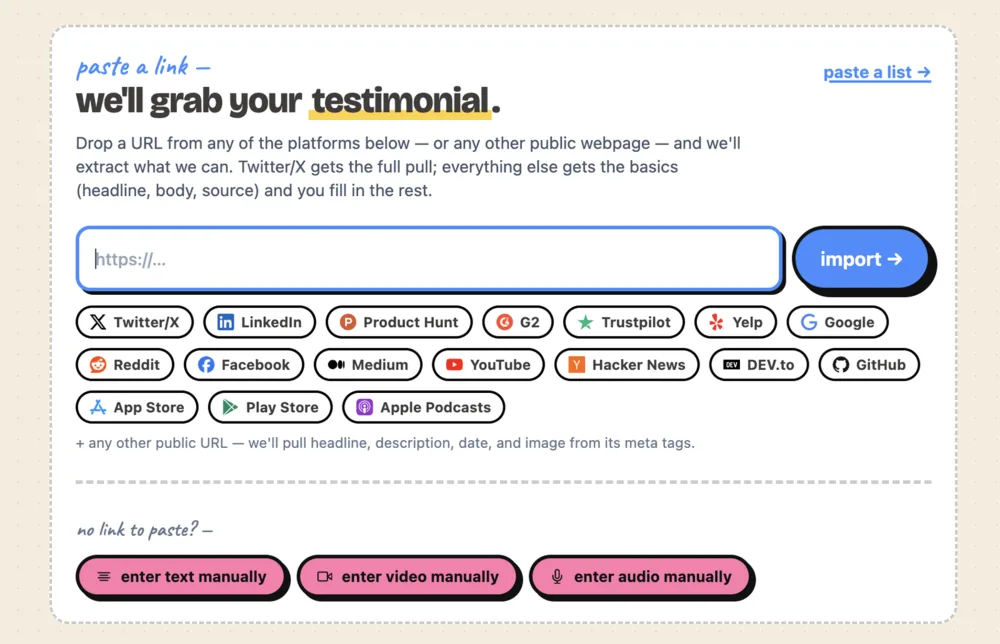
Paste any URL. We’ll try to figure it out from there.
Import used to be a choose-your-own-adventure — separate buttons for Twitter, LinkedIn, “manual entry”, a couple of others. Cute, but if you didn’t know which one to click you were a little stuck.
So we collapsed it. Now there’s just one box. Paste a URL — any URL — and we detect what it is, dispatch the right importer, and hand you back a draft proof to look over and approve. Reddit comment? Reddit importer. Blog post? We lift the headline, body, date, and hero image off its meta tags. YouTube? YouTube importer. You don’t have to know which is which.
If we can’t import from your URL — auth-walled stuff like Discord and Slack, or anything we haven’t taught the importer yet — the form falls back to manual entry, which kinda sucks but hey, it’s something.
-
Just kidding about Shortlist Badge
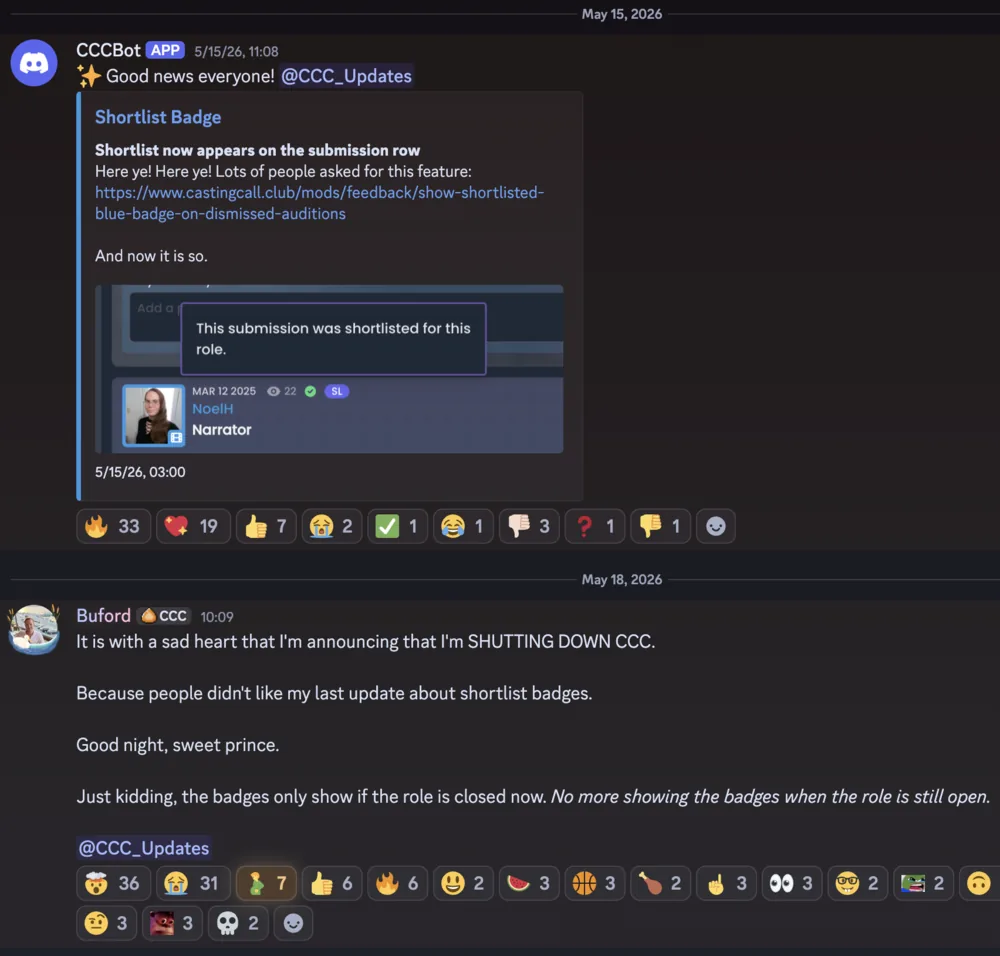
In an incredible display of "not knowing what the hell I'm doing", I misinterpreted what people really wanted. People wanted the Shortlist badge, but only after the role was closed or the project deadline had passed.
Thanks for setting me straight. I went ahead and fixed it. I'm sorry. I'm so, so sorry! 😢😢😢
I'll go back to the dark corner now where they keep me until they want a new thing built. 😁
-
Shortlist Badge
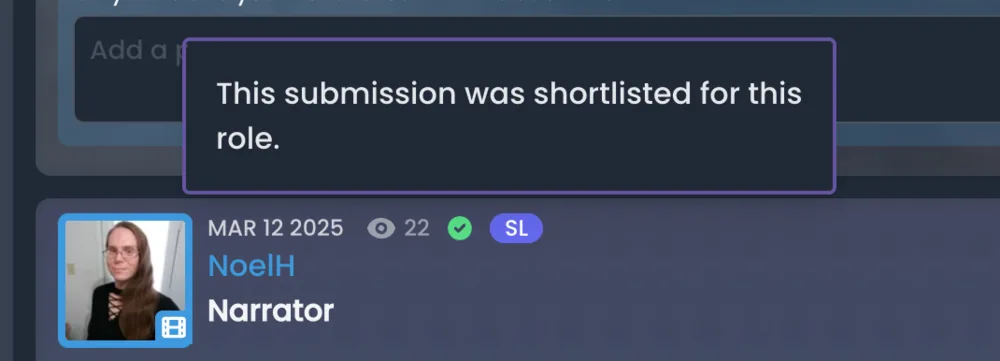
Shortlist now appears on the submission row
Here ye! Here ye! Lots of people asked for this feature: https://www.castingcall.club/mods/feedback/show-shortlisted-blue-badge-on-dismissed-auditions
And now it is so.
-
Teams
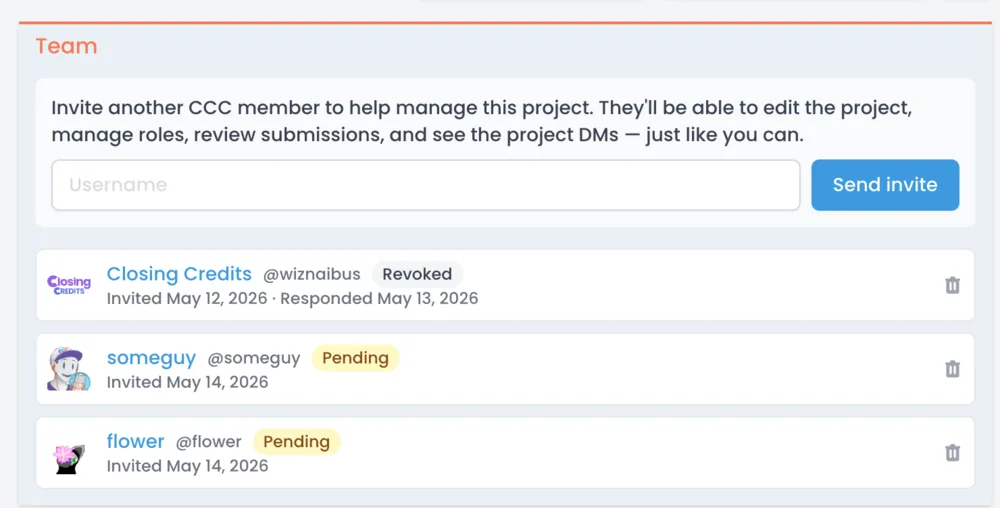
You don't have to run the whole show by yourself
Casting a big project alone is a lot. Now you can invite trusted teammates to help — co-directors, assistant casting, that one friend who's freakishly organized — and they'll get the same management powers you do: reviewing submissions, sorting buckets, assigning roles, posting in the project DMs, the works.
Head to Manage Projects → Team on any project, type a username, and hit invite. They get an email and an in-app alert. Once they accept, they show up alongside you in the project. Only you (the owner) can invite or remove people, so the team stays on your terms. Destructive stuff like deleting the project also stays owner-only — your collaborators can't accidentally nuke months of work.
-
Certificates - now actually works!
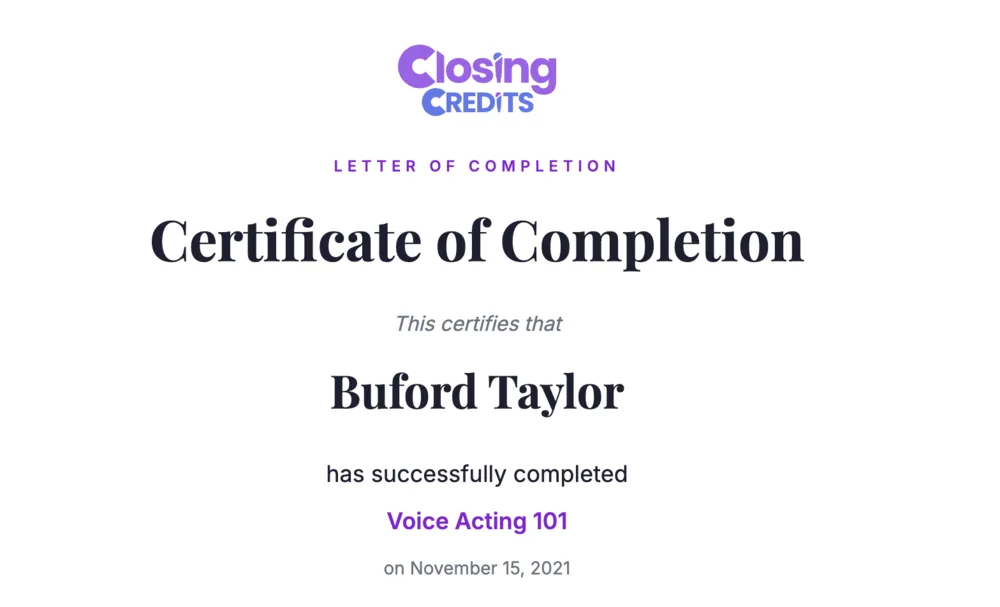
Certificates — the proof you finished the thing, now actually works!
Course completion certificates got the once-over. If you've already earned one, the new version is waiting for you under your existing certificate link.
What changed:
- The dates are right now. Previously some certificates were quietly off by a day (timezone math, our old foe). They are no longer off by a day.
- A nicer design. Less "my dad's highschool diploma", more "kinda okay looking."
- Print, download, view anywhere. The certificate page now renders cleanly in any browser — phone, tablet, desktop — and there are explicit Print and Download PDF buttons. The PDF is the same layout you see on screen, so what you preview is what you'll get.
- Anonymized URLs. Previously the link contained your user ID, which meant anyone who guessed a nearby number could snoop on someone else's certificate. Links are now opaque random tokens — old URLs still work, but the new ones don't reveal anything about who's behind them.
-
Pokemon types
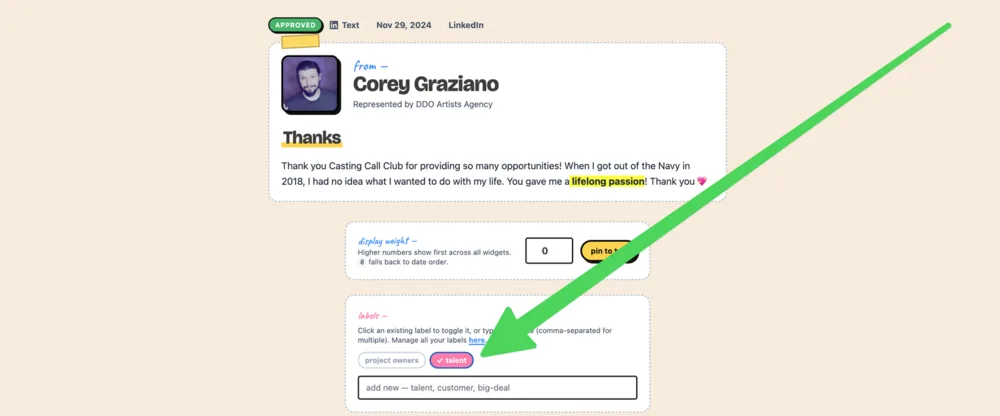
Same idea, much less duct tape
Tags used to be like writing “talent” on a sticky note and slapping it on a proof. Stick that label on fifty proofs and you’ve got fifty independent sticky notes. Want to rename them all to “candidate” later? Hope you’ve got the afternoon free.
Labels work the way you’d expect tags to work. There’s one “talent” label per project. Every proof, capform, widget, or wall that uses it points to the same one. Rename it once, every chip across the app updates. Delete it and it cleans up after itself — no half-erased filters quietly returning empty widgets.
Think Pokémon types: every Fire-type in the world refers to the same idea of “Fire”. Charmander doesn’t carry around its own personal definition of fire that drifts apart from Vulpix’s. That’s labels.
Each label gets a color and an editable home in the new “Labels” sidebar entry, with usage counts so you can spot which ones are pulling their weight (and which are basically that one Pokémon you caught and never used again).
Widget and wall filter chips also tell you how many approved proofs carry each label, so picking a filter doesn’t dump you into an empty widget wondering what went wrong. And an “all approved proofs” pill clears the filter in one click.
Your existing tags came along for the ride — same names, just promoted.
-
Add to Calendar
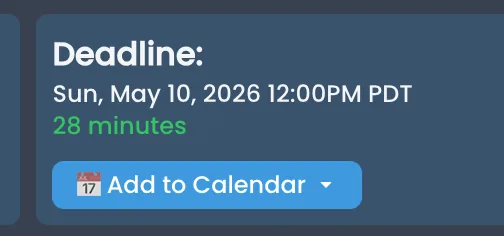
Project deadlines, straight in your calendar
We can now email you an
.icscalendar invite for a project's deadline. Open the email in Gmail, Apple Mail, or Outlook and you'll see a one-tap "Add to Calendar" button — no copy-paste, no fiddling with date pickers.Useful when you're juggling several projects and want submission deadlines showing up alongside the rest of your week. Works the same on phone and desktop, since your calendar app handles the invite natively.
-
Walls of Love
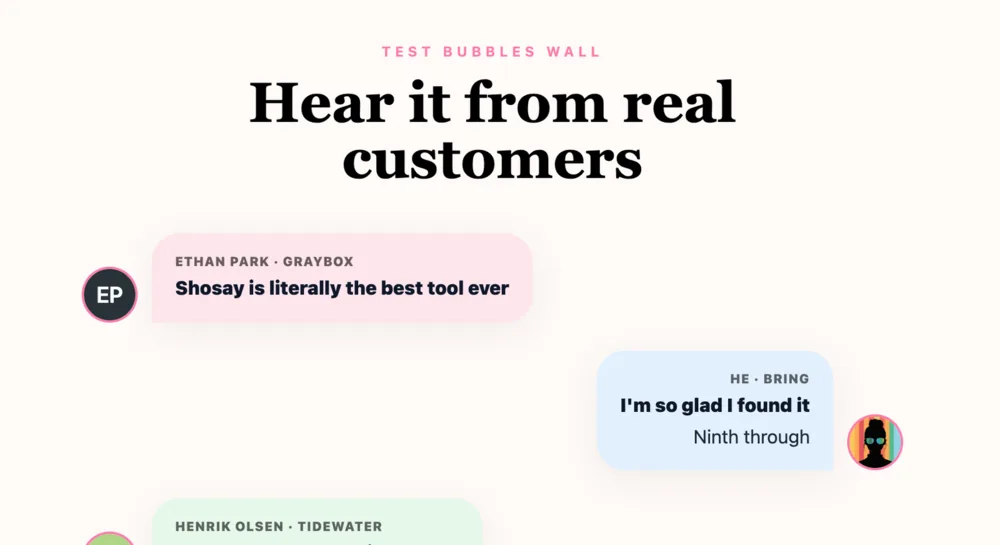
A whole new way to share your social proof
Widgets are great for slotting testimonials onto your existing site. But sometimes you just want a single beautiful URL you can drop in a sales deck, an email signature, or a DM. So we built Walls of Love — full-page hosted galleries of your proofs.
Pick from four themes: Cards (clean editorial masonry), Bubbles (pastel chat bubbles), Chats (iMessage-style thread), or Futuristic (neon cyberpunk on dark canvas with glow blobs and scanlines). Choose your proofs (auto or hand-picked), tweak colors, and you’ve got a shareable link.
There’s a new “Walls of Love” item in the sidebar to manage them. Custom-domain support —
love.yourcompany.compointing at your wall — is coming soon. -
Built-in Changelog & Feedback
The old setup was an external Canny board that nobody wanted to log into. So we built our own. Submit feature requests or bug reports at
/feedback, vote on the ones you want, and discuss in the comments. Drag-drop up to 5 screenshots per post.Authors can edit their own posts while they’re still under review; once a maintainer triages them (planned, maybe, in progress, complete, closed), the body locks so the discussion can’t drift out from under it. There’s a status filter that defaults to “open work” so the index isn’t cluttered with closed items.
The page you’re reading right now lives at
/changelog. Past posts are also shipped as a static markdown file at/changelog.mdso you can read it anywhere, or write a quick scraper. -
Eight new widgets
The library doubled, basically
We doubled the widget catalog: List, Quote Grid, Bubble List, Highlights (scrolling soundbites strip), Image Gallery (masonry of imported tweet/LinkedIn screenshots), Rating Badge (inline pill, distinct from the floating one), Single Testimonial (one hand-picked card with four layout presets), and Stories (TikTok-style vertical 9:16 video player with tap-to-advance).
That’s on top of the existing Wall of Love, Tabbed Wall, Marquee, Carousel, Slab Carousel, Stagger, Hero Quote, Hero Video, Tweet Grid, Video Reels, Audio Wall, Avatar Strip, Avatar Strip Popup, Stat Grid, Logo Bar, Floating Badge, Floating Toast, Press Wall, and Inline Quote.
If you can’t find one that matches your brand, we are doing something wrong.
-
Hey, give me feedback on this ....uhhh, feedback board.
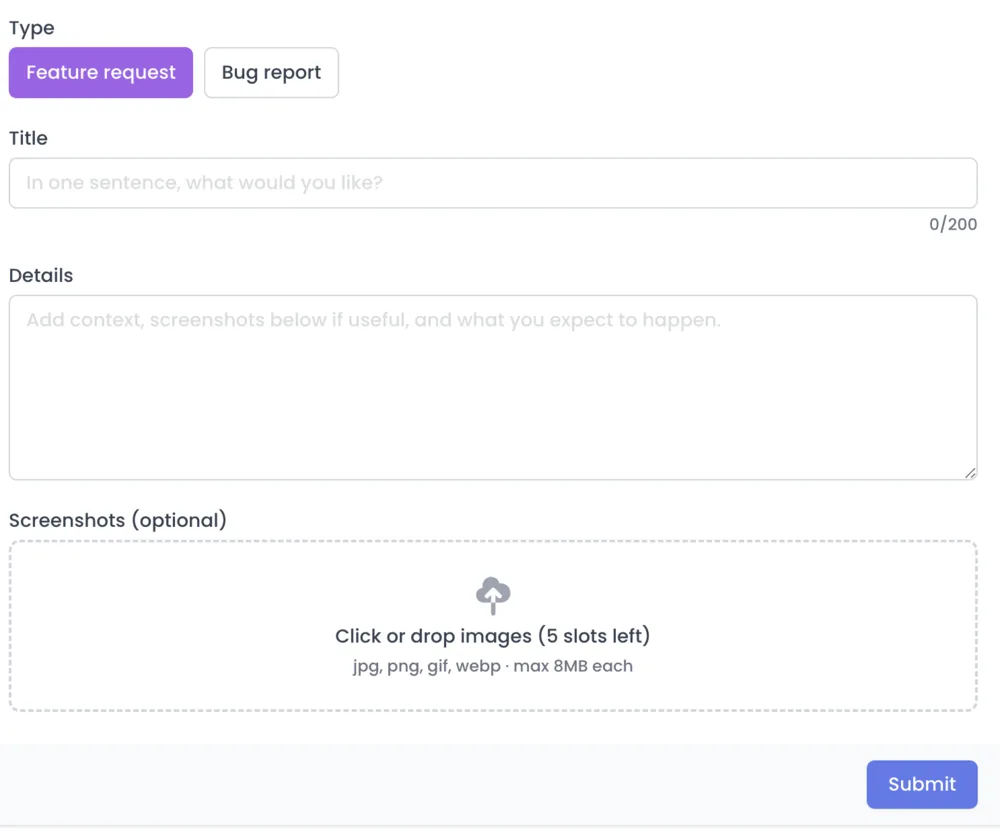
Closing Credits now has a public feedback board at /feedback. It's the place to suggest features, report bugs, vote on the things you most want, and watch them progress (or, more honestly, watch them sit in "under review" while we argue about them).
www.closingcredits.com/feedback
What you can do today:
- Submit a feature request or bug report. Add a title, some details, and up to five screenshots. We added a dedicated drag-and-drop uploader so you don't have to fight your file picker for the millionth time.
- Vote on anyone's feedback. Votes are how we figure out what's load-bearing for the most people, vs. what is, say, an extremely passionate request from one specific user (we see you, and we love you, but also: votes).
- Comment with screenshots of your own. Comments are flat — no replies-to-replies — because the goal here is signal, not a forum.
- Edit your own posts while they're still under review. Once we've actioned something we'll lock it down so the history matches what got built.
- Filter and sort by status (Under review / Planned / Maybe / Complete / Closed), by category (feature requests vs. bug reports), and by sort order (newest, most-voted, recently updated).
- Get notified when someone votes on your idea, comments on it, or when we change its status. Toggle any of these in Settings → Notifications if you'd rather not be pinged. When something you upvoted ships as Complete, you'll get a notification too — so you don't miss the wins.
Things this is not: a real-time support channel (that's still email and Discord), a guarantee we'll build everything that gets votes (sorry), or a place to ask "is anyone else's mic not working" (Discord, please).
-
Zine-style redesign across the app
Big chunky borders. Hand-written section labels. Washi tape.
We redesigned the in-app experience in a zine / scrapbook aesthetic. Cards have 3px black borders and offset drop shadows. Section labels are a handwritten font in a bright color. Display type is Bricolage Grotesque. Widgets and walls now feel like they were laid out in a magazine, not a wireframe.
The same vocabulary —
zz-card,zz-display,zz-hand,zz-tape,zz-sticker,zz-highlight— is now used everywhere from the proof manage modal to the new Walls of Love editor to the marketing pages. -
Notifications, v1 — the bell icon you didn't ask for but secretly wanted
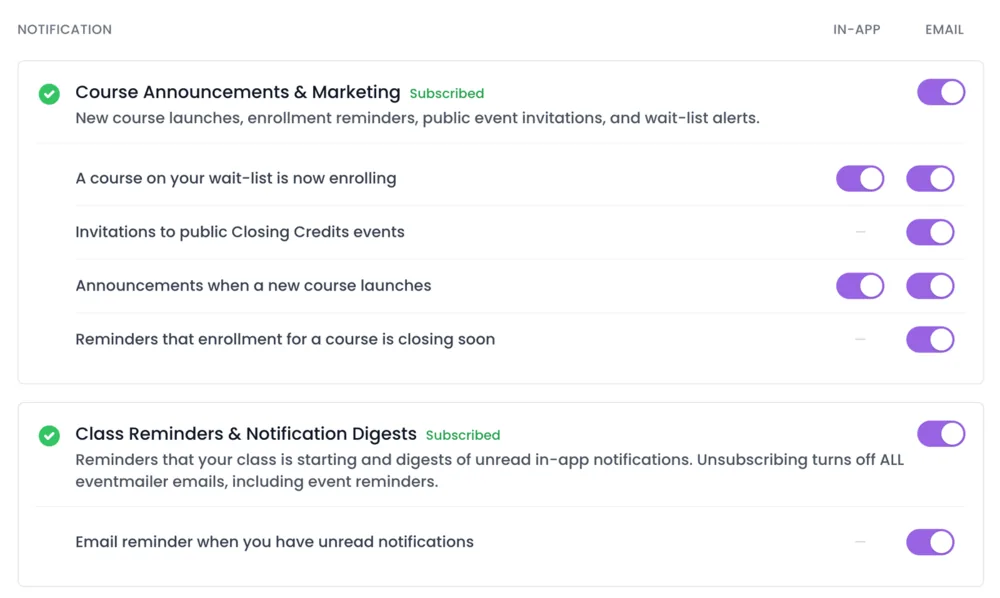
You now have a notifications inbox at Closing Credits. It is, in the proudest tradition of the genre, a list of things that happened that you might want to know about.
Here's what we're celebrating:
- An actual inbox. When a course you follow opens for enrollment, when a brand-new course launches, when you accidentally unsubscribe from something at 2am — these now show up as tidy little rows you can mark read and forget about, instead of (only) cluttering your email and creating a low-grade sense of guilt.
- Per-notification preferences. Visit Settings → Notifications and you'll find toggles for every kind, split into "in-app" and "email" columns. Hate getting emails about new course launches but love seeing them in the bell? Now possible. Want emails but never want the bell to chirp at you? Also possible. Want both? That's the default. Want neither? You hurt our feelings, but yes, also possible.
- Group-level subscribe / resubscribe. The same page now also lets you toggle whole email "streams" (think: "all marketing-style emails" or "all class reminders + digests") on and off. And — small admission — when you click resubscribe, we now actually call Postmark and tell it you've changed your mind. Previously, you could resubscribe in our UI all you liked and Postmark would still cheerfully drop your emails into the void. That has been corrected. We have written ourselves a strongly worded note.
Things this is not: a real-time chat (that's coming), a replacement for your email (we still send those for the important stuff), or a cure for sore throat (all I can suggest is tea, my friend).
-
In-house Feedback board
Say something you think would fit
We've replaced our old feedback tool with a built-in feedback board at /feedback. Submit feature requests or bug reports, vote on the ones you want to see, and discuss them in the comments.
No logging into some other system!!
You can attach screenshots to make bug reports clearer, and posts stay linkable so we can point back to them in updates. All your existing posts, votes, and comments from the previous tool came over, so nothing was lost.
Behind the scenes there's a moderator panel for merging duplicate suggestions into a single thread, so when several people report the same thing, the votes and comments combine instead of getting scattered.
You can find it here
-
Profiles (version 1)
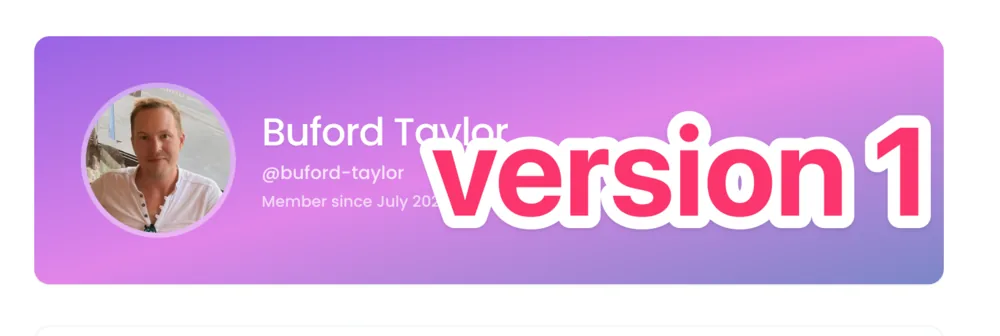
You now have a profile! Head to What's New → Profile in the user menu (or visit
/profile) to fill it in.What's in this first version:
- Username — your unique handle (3-30 chars, lowercase letters, numbers, dashes, or underscores). Your public profile lives at
/profiles/<username>. - About + interests — short freeform fields so other members can get a sense of who you are and what you work on.
- Profile image — upload an avatar that shows up wherever your name appears.
If you don't pick a username, we'll generate one from your name automatically — you can change it later. Public profiles are visible to other signed-in members today; broader visibility will come in a future release.
- Username — your unique handle (3-30 chars, lowercase letters, numbers, dashes, or underscores). Your public profile lives at
-
Custom Profile Covers
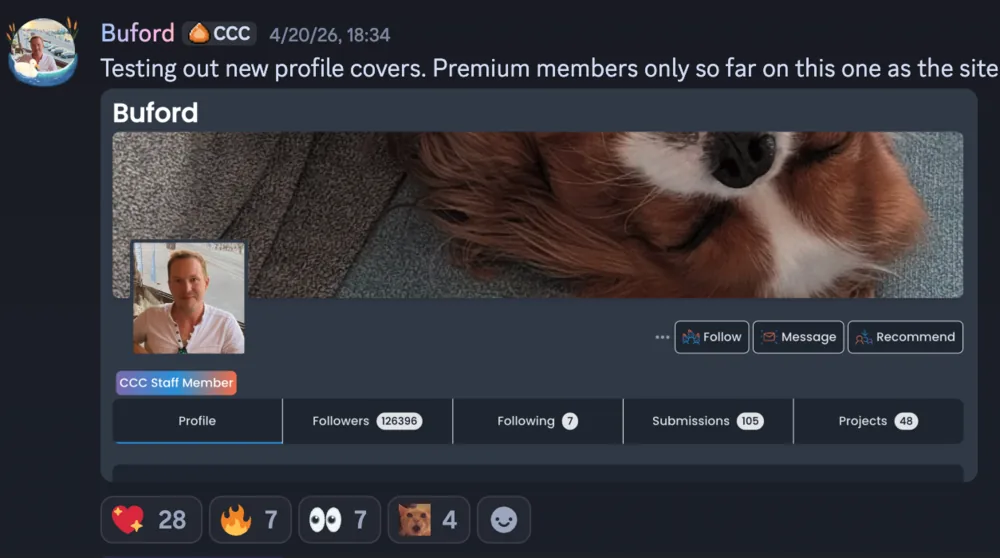
Make your profile uniquely yours
Premium members can now upload a custom cover image for their profile. Head to your profile, click "Edit Cover Photo," and you'll see a new "Upload your own" tab alongside the existing preset designs.
Your custom cover also shows up subtly as a blurred background on your submission rows across the site - a small touch of personality that makes your auditions stand out.
Free users still have access to all 10 preset cover designs. Premium is just a little extra flair.
-
Redesigned Email Preferences
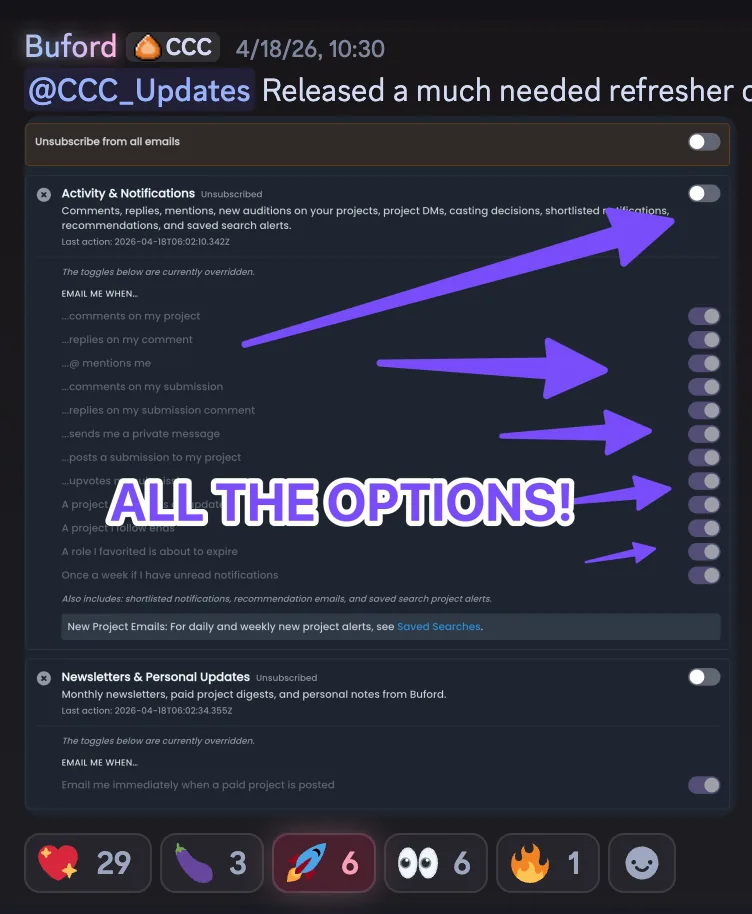
Clearer control over every email we send
The Settings page got a major overhaul. Email preferences are now organized by message stream - Activity & Notifications, Newsletters, Onboarding, Billing, and Education.
Each stream has a master toggle that overrides the individual notification toggles within it. If Postmark has you suppressed (bounced email, spam complaint), you'll see the status and reason right on the page. You can resubscribe with one click and we'll talk to the email gods on your behalf.
There's also a new warning on the "Unsubscribe from all" toggle - if you turn everything off, you won't get password reset emails either. Your account would be bricked if you forget your password.
-
Submission Buckets
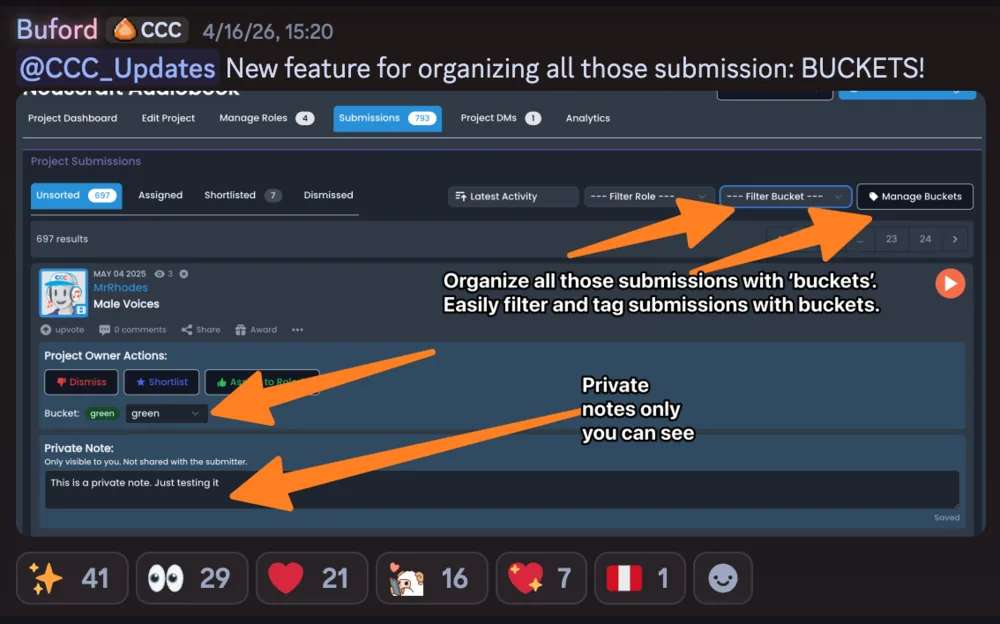
Organize auditions your way
Project owners can now create custom buckets to organize submissions. Think of them like folders - create buckets like "Callbacks," "Top Picks," or "Maybe Later" and drag submissions into them.
Each bucket gets its own color, and you can filter your submissions view by bucket. There's also a new private notes field on each submission, visible only to you as the project owner.
-
Omnisearch Improvements
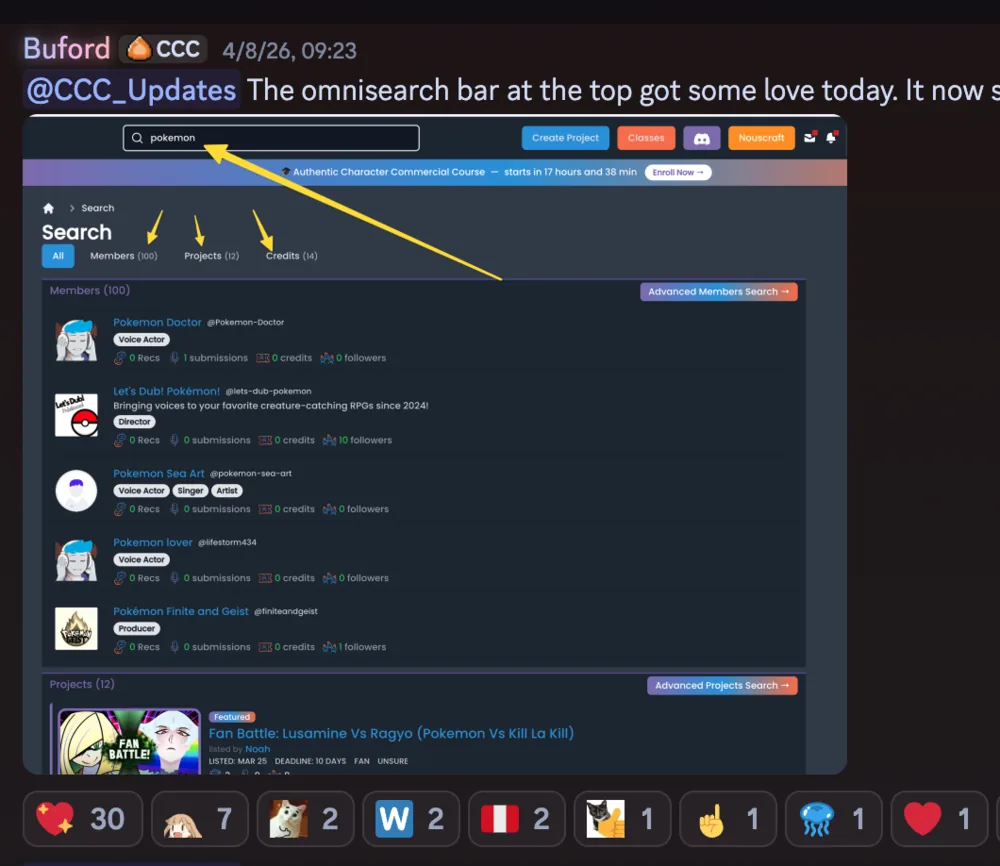
One search bar to find everything
We completely rebuilt the search experience. The search bar in the navigation now takes you to a dedicated search results page that shows Members, Projects, and Credits all at once.
Results are grouped into three sections with quick-filter tabs to narrow down by type. Each section links to its respective advanced search page if you need more filtering power.
The search is powered by OpenSearch and returns results fast, even across millions of records.
-
Nouscraft World 3: First Past the Post published
Book three is out. That's the trilogy done.
I'm definitely going to take time off between this and writing the next one even though I'm bursting with ideas. The marketing is the hard part and I need to understand Amazon's monstrous ecosystem a bit more. I'll be running experiments when the audiobooks are done.
-
Accidentally emailed Brendan 70,000 times
A job that was supposed to send one email to one person sent seventy thousand emails to one person. That person was Brendan.
Brendan was extremely nice about it.
-
The Great unblockening
Some people wake up and choose chaos. Recently, that chaos was a DDOS attack that really wanted to ruin my week. In a panic, I had to block several countries entirely. This was, it must be said, rather unfair to the nice people there who just wanted to audition for things and had nothing to do with the digital gremlin convention happening on my servers.
Good news: proper protections are now in place. If you've been using a VPN just to access the site, you can stop. No more pretending to be from Ohio.
To those who were blocked: Welcome back. Sorry about that.
-
Nouscraft World 2: Royale published
Book two is out on Kindle. I used two editors (line and developmental) for this book and while I do think it made for a better book, it really slowed things down. I'm going to try book three with one fewer editor to test the waters.
-
Litizens started
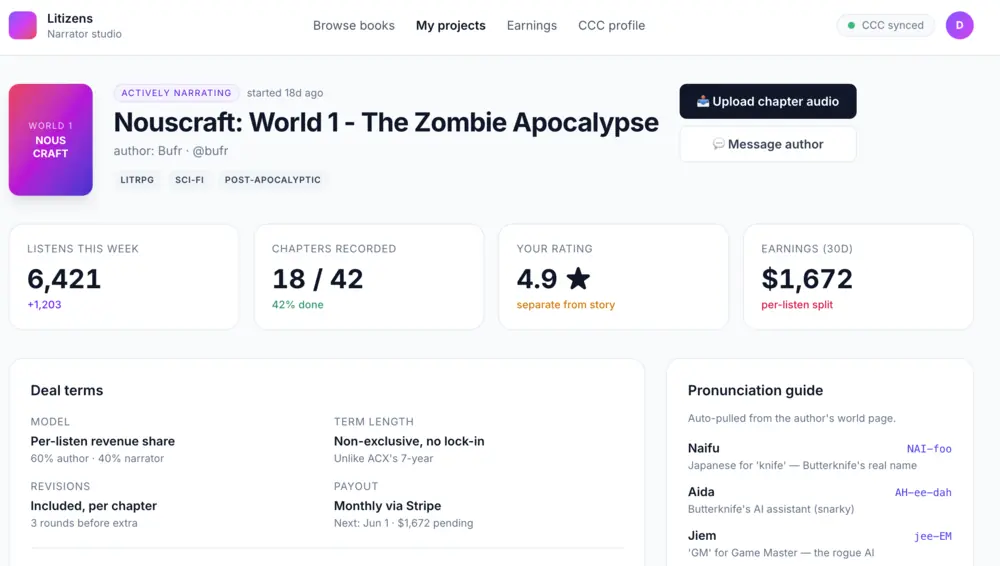
I called it ficfolk at first and I'm still thinking of doing that. It's the next thing I'm going to build properly, once Shosay is where it needs to be.
It's an audiobook centric website as a natural companion to CCC. I have a non-functional demo available here: https://litizens.bufr.co/ (you might get a 500). Thousands of new authors really want to have audiobooks done but their choices are A: too expensive, B: silly AI-generated voices that suck. To top it off, they don't really know how to get an audiobook produced. This site will fix that.
-
nouscraft.com
The Nouscraft site is up. Go check it out.
-
Talent Search
Search across every performer on Casting Call Club, running on Elasticsearch.
Started it on the 22nd, shipped it on the 23rd. Which sounds impressive right up until you ask why a casting site got search at the end of 2024.
-
First lines of code on Shosay
A login screen. I redesigned it 5 times and gave up.
Shosay collects testimonials as video, audio or text and lets you embed them anywhere.
Shosay spawned from the idea to share the work those creators have done. I believe sharing one's work, imperfect or otherwise, is beautiful, and necessary for the world today to feel connected, supported, and alive.